Assembly Line
Assembly Line composes onboarded OpenDepot modules and providers into a validated OpenTofu root module, directly in the browser. An administrator must enable it first; see Assembly Line Configuration.
Assembly Line is OpenTofu-only and browser-local/export-only: canvases persist in the browser's localStorage (nothing is saved server-side), and the only server-side artifact is the validated ZIP produced at export time.
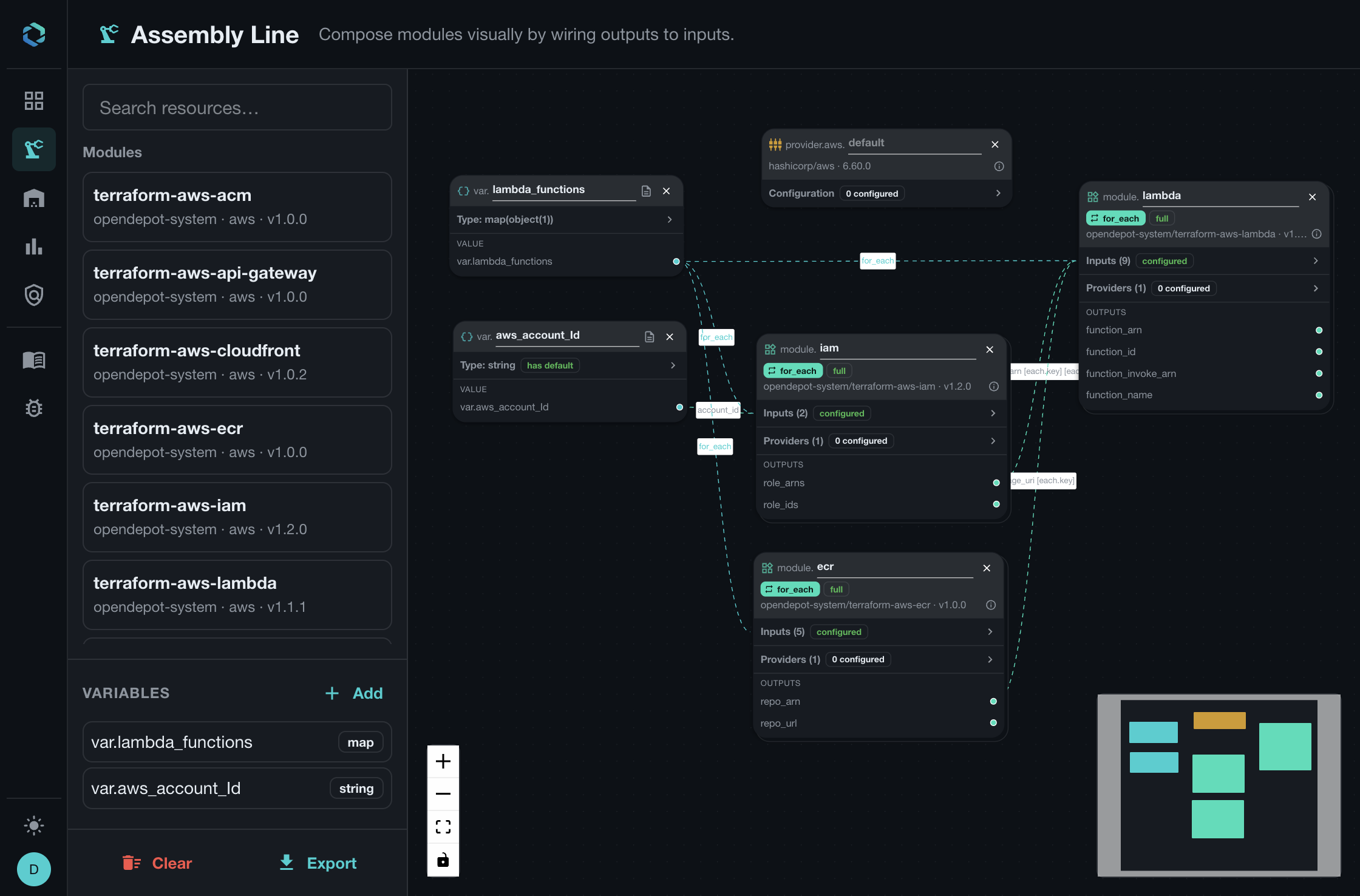
The Assembly Line Workflow
Assembly Line turns a visual canvas into a portable OpenTofu root module:
- Add a module, provider, or variable from the resource palette.
- Configure inputs and provider arguments from the node panels.
- Wire variables and module outputs to downstream inputs.
- Choose
countorfor_eachwhen a module should produce multiple instances. - Export the validated
main.tfandvariables.tffiles.
The canvas is local to your browser. OpenDepot does not save it as a server-side resource, so you can experiment freely and export only when the graph is ready.
Build a Root Module
Add module, provider, and variable nodes to the canvas. Module and provider nodes select a specific onboarded release. When exported, module releases use pessimistic constraints and provider releases remain exact. Module inputs and provider configuration fields are rendered only when they are set on the canvas; defaults owned by the child module or provider remain in the child configuration.
Variable nodes become declarations in variables.tf. A variable default is emitted only when the canvas defines one. Recursive collection, tuple, object, and optional object attribute types are preserved.
References can connect a root variable or module output to a module input or provider argument. Repeated modules support count and for_each; references to repeated modules require an explicit all/index/key selector.
Building a canvas node requires the underlying module or provider version to already have an extracted Assembly artifact. Versions without these artifacts are not offered on the canvas. See Assembly Line Configuration for the administrator requirements.
Define Complex Variables
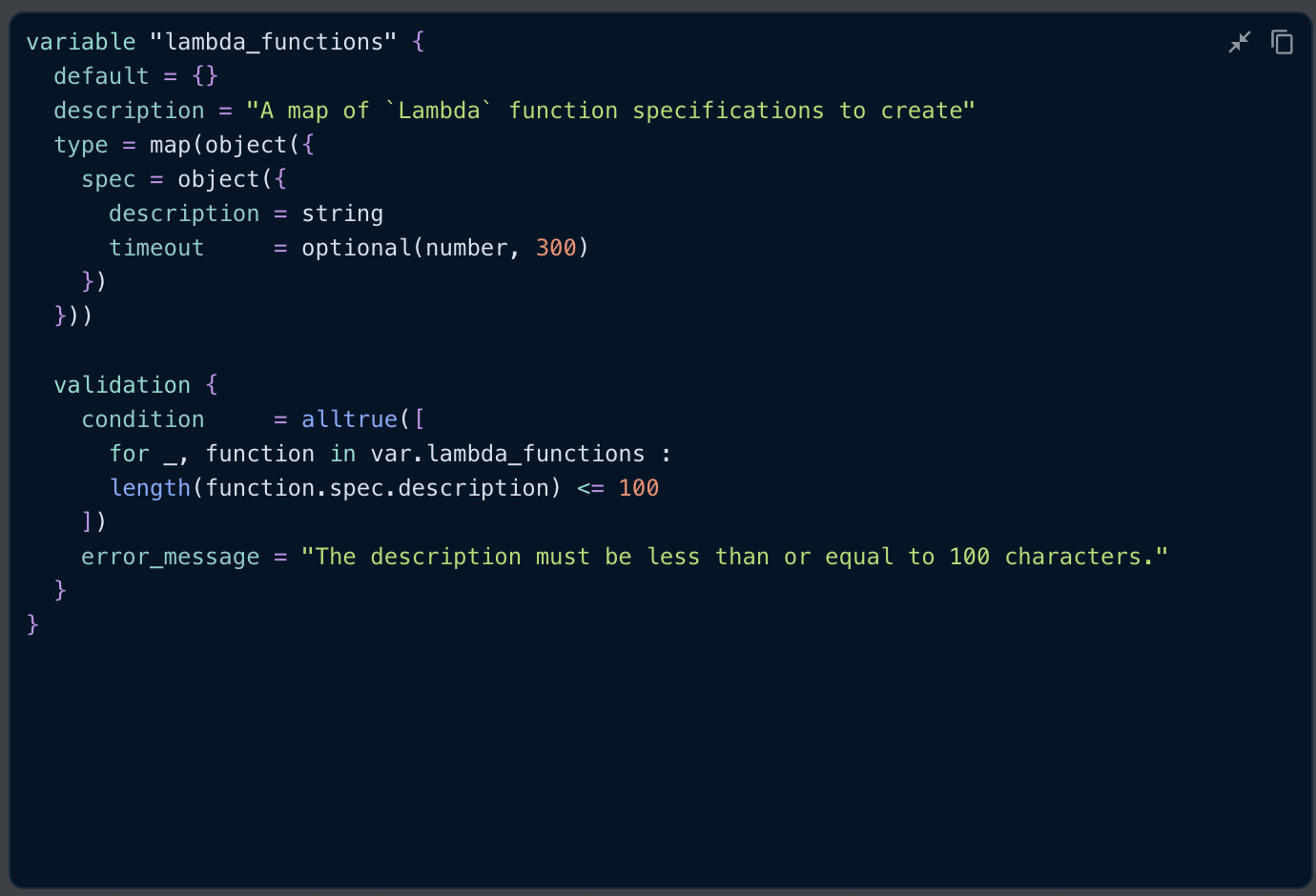
Variables are first-class canvas nodes. Open Type on a variable to choose a primitive, collection, tuple, or object type. Add nested object attributes and set optional or default values in the type editor. Its syntax-highlighted HCL preview shows the equivalent OpenTofu declaration as you build the type.
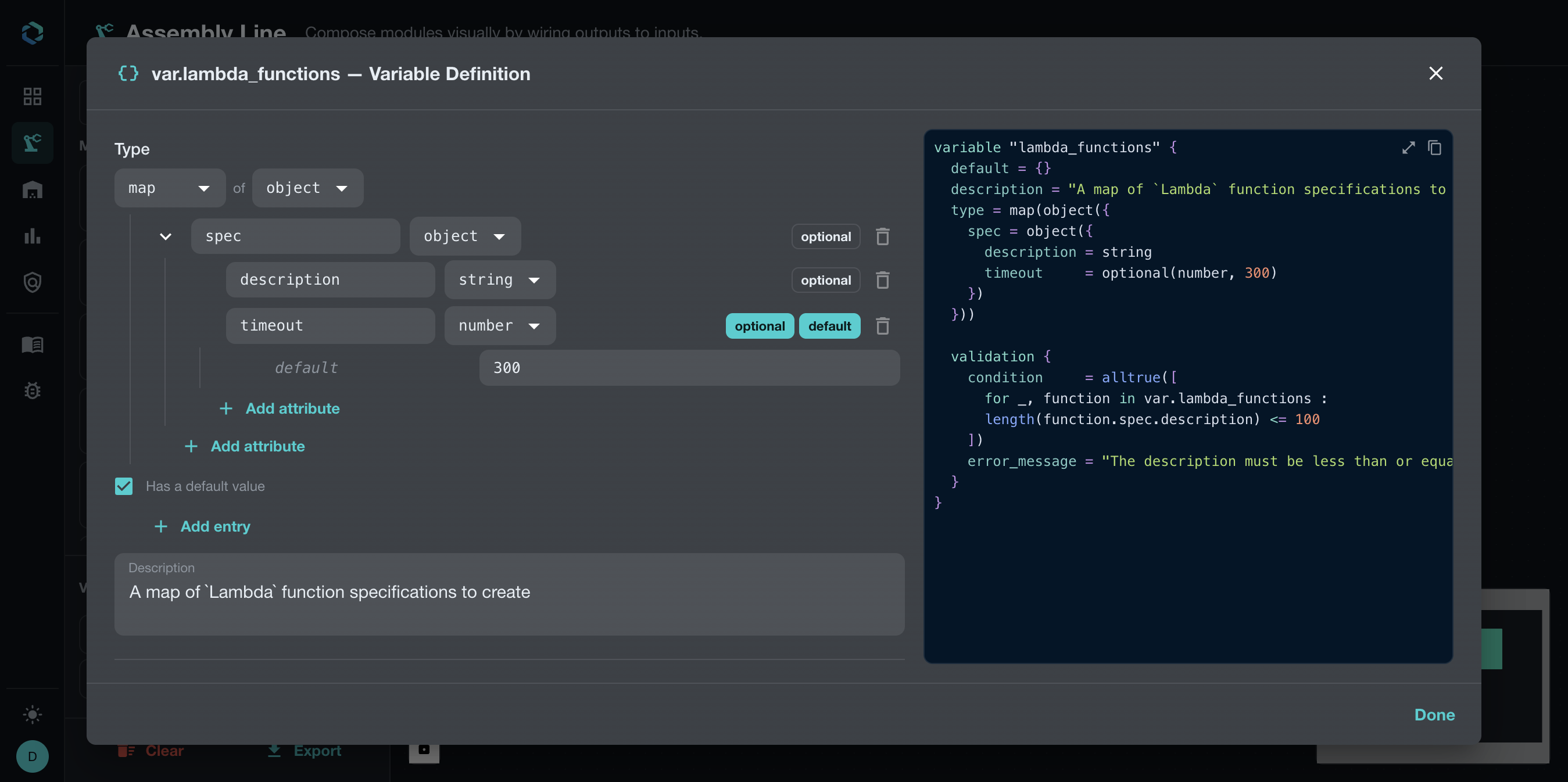
This example defines a map whose values contain a nested spec object with description and timeout attributes. That shape is useful for for_each because each map key identifies one module instance and each value carries that instance's configuration.
Validate Variable Values
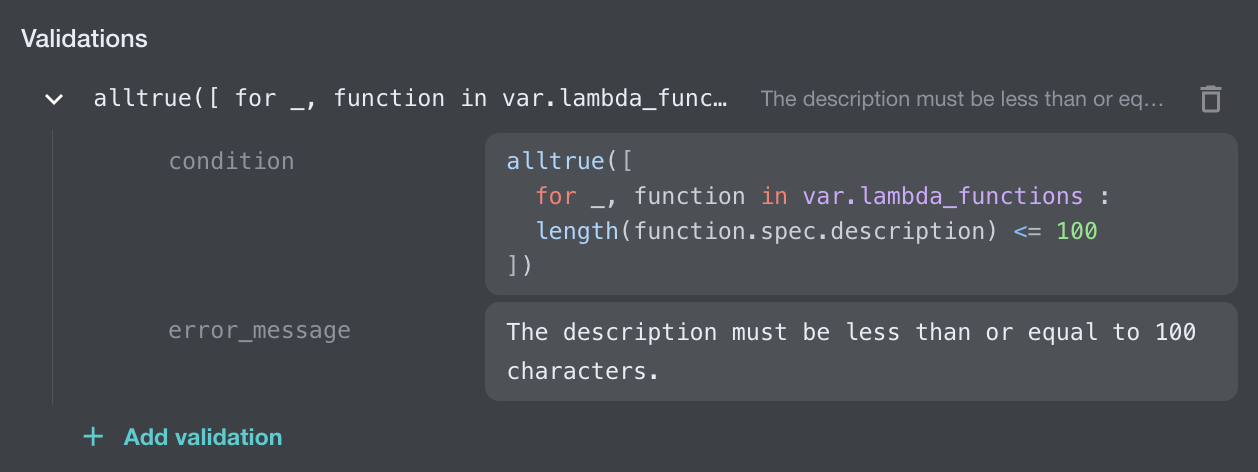
Add one or more validations to reject invalid input before the generated root module is used. Enter each condition as an HCL expression; syntax highlighting distinguishes functions, variables, and nested attributes while you edit. Each validation has two parts:
- A condition written as an HCL expression, such as
length(var.spec.description) > 100. - An error message that explains how to correct the value.
The condition can reference the variable and its nested attributes. The HCL preview renders the validation block in the generated OpenTofu declaration, so the constraint travels with the exported variables.tf file.
Configure Module Inputs
Select Inputs on a module node to open its typed input form. Compact rows show each input's required or optional status, accepted type, and value controls. Collection entries are grouped under their input, and the generated module HCL remains visible beside the form. Use the search box and pagination controls when a module exposes many inputs.
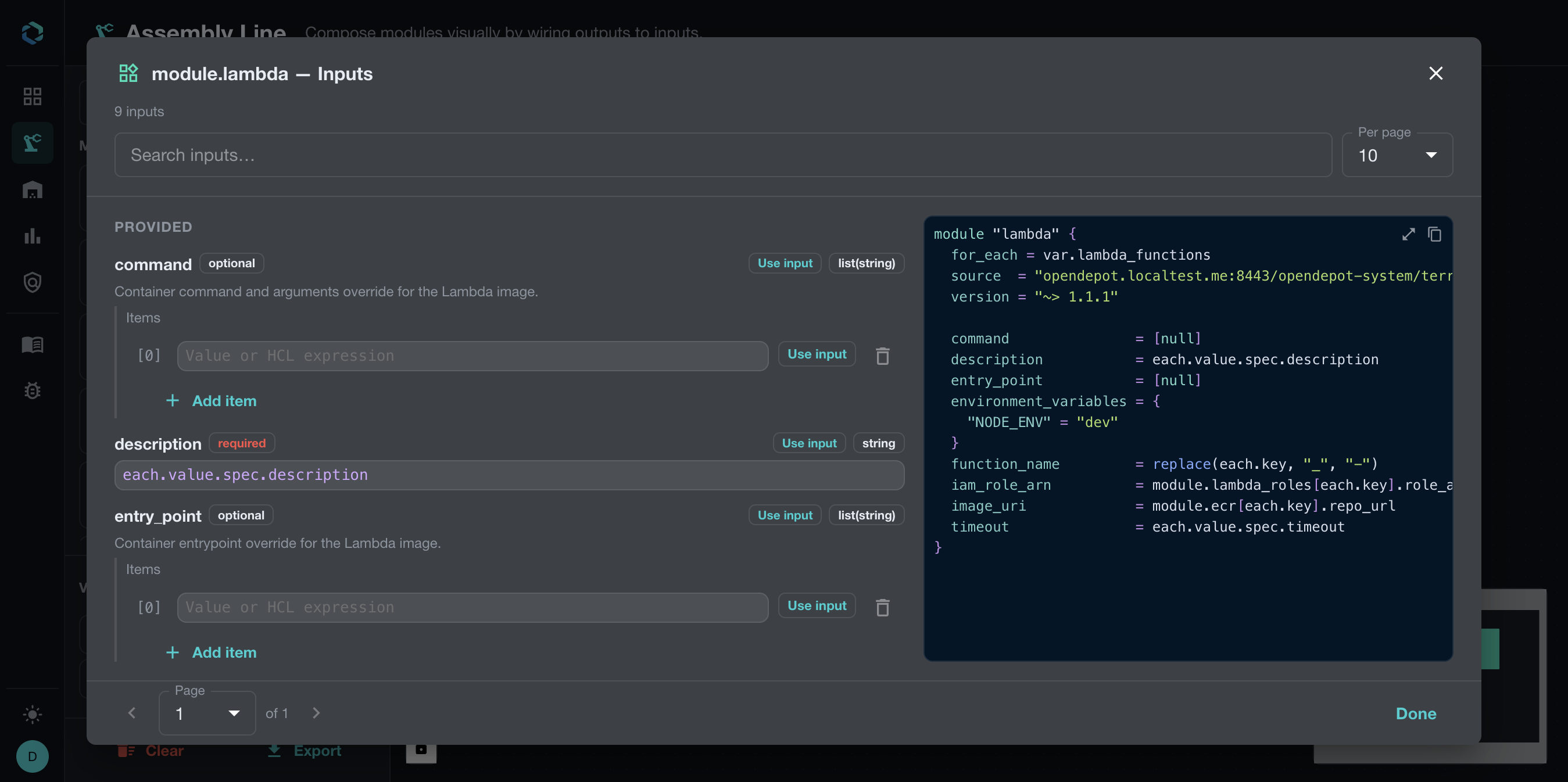
Enter literal values or HCL expressions in the value fields. Expressions are syntax highlighted. When a field contains a supported OpenTofu function, the editor displays a short function description and a link to the OpenTofu documentation beneath the field.

Values can come from several places:
- A literal value entered in the form.
- A root variable such as
var.account_id. - A module output such as
module.ecr.repo_url. - A repeated value such as
each.keyoreach.value.spec.description.
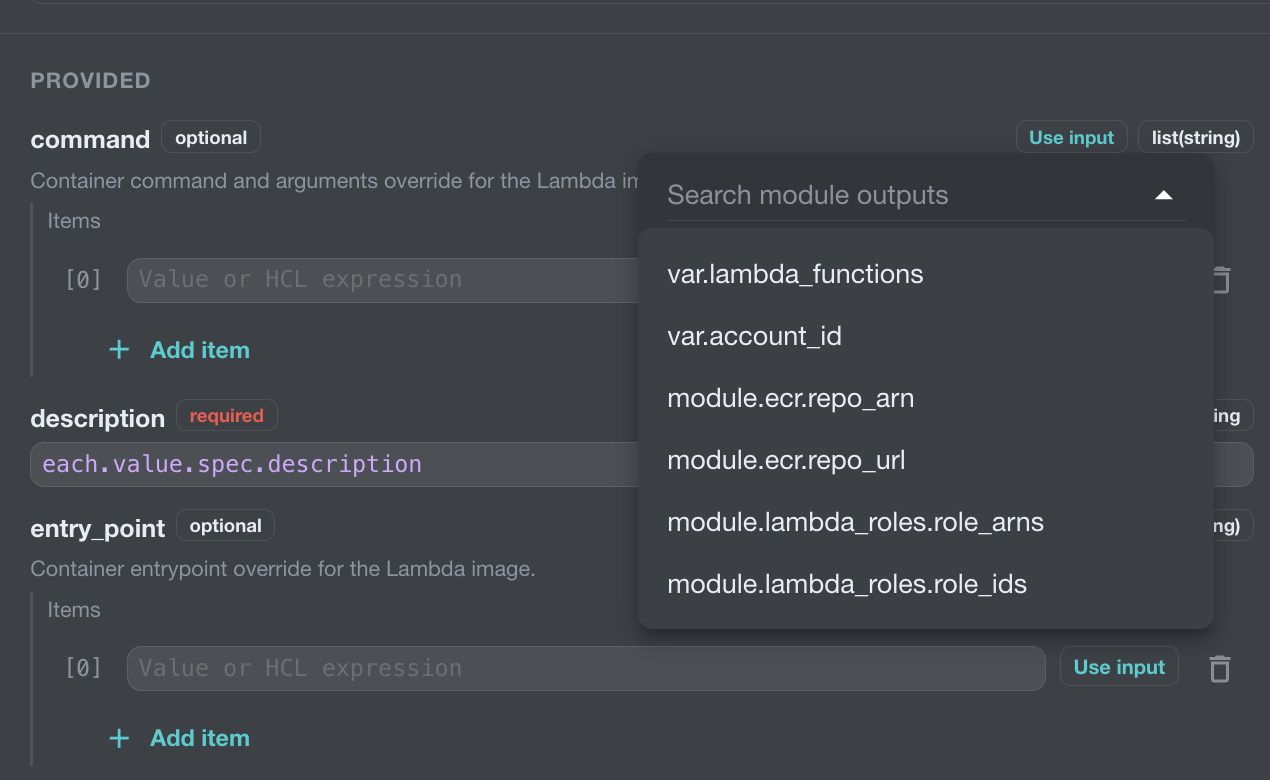
Enter literal values directly in an input field. To reference a root variable or module output, choose Use input and select a source from the menu. When a source is repeated or contains a collection, the form provides instance selectors and key or index controls.
Repeated modules can also use each.key and each.value in HCL expression fields. For example, this description input reads a nested value from the current for_each object:

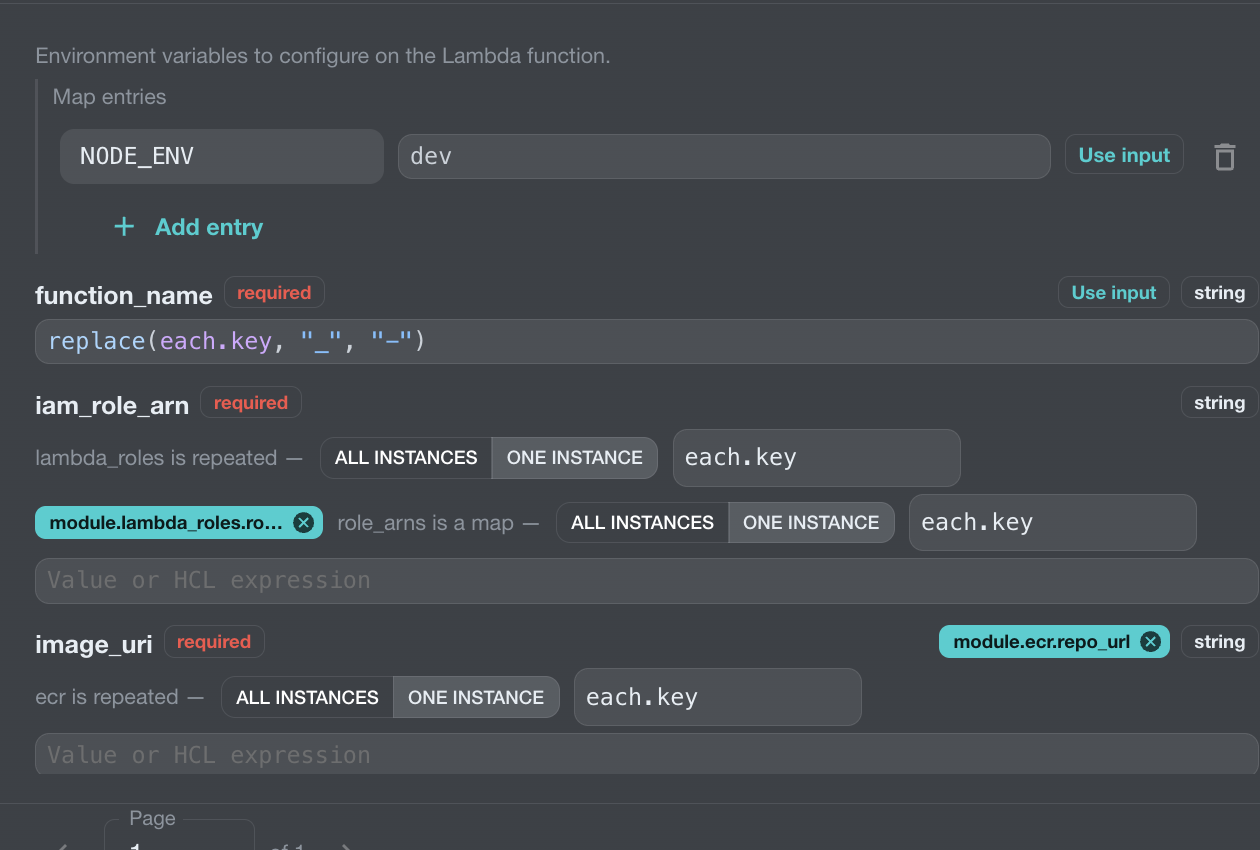
For a variable map or collection reference, choose One instance and enter the index or key expression to select one entry. When the selected entry is an object, optionally choose a descendant property. For example, selecting var.lambda_functions, One instance, each.key, and spec produces:
Leave the descendant selection at Whole value to reference the complete entry. Choosing All instances clears the descendant selection and passes the full collection. Type compatibility checks use the selected entry or projected property type.


The form keeps the expression visible on the canvas, so you can review how each module is connected without opening every field. Defaults owned by the child module remain there unless you explicitly configure the input.
Repeat Modules with count or for_each
New module nodes start in single mode. Check the mode badge on the module card before configuring its inputs. When you need multiple instances, open Repeat this module with count or for_each and choose the repetition mode that matches your input collection.
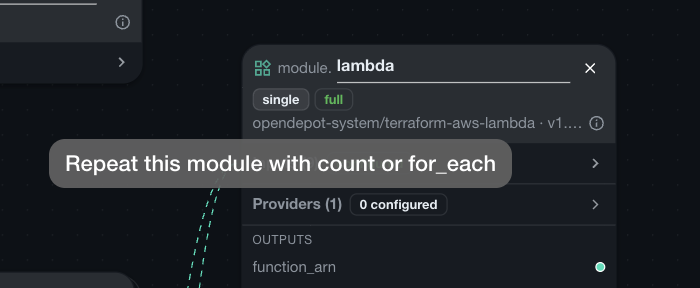
With count, choose Fixed number to create the specified number of instances. Choose Conditional (create or not) to create either zero or one instance from a boolean condition. Fixed-count instances use numeric indexes such as module.lambda[0]; conditional instances use the same indexed form when they exist.
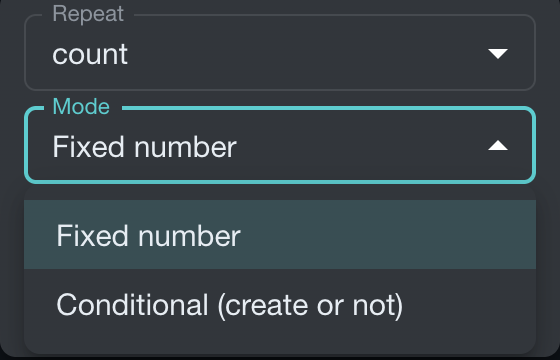
Use for_each for Keyed Instances
Use for_each when each instance should have a stable key or its own value. Connect a map or set variable to the module's repetition input. In the example canvas, var.lambda_functions is a map of objects and drives the Lambda, IAM, and ECR modules.
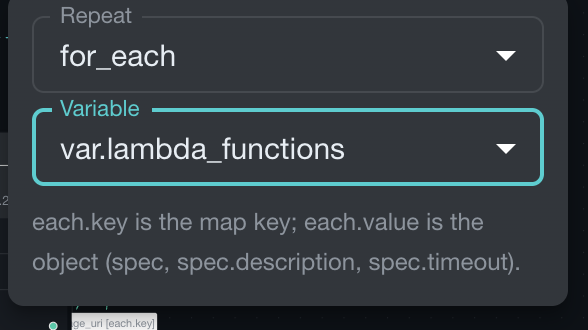
Each repeated module exposes the standard OpenTofu instance context:
each.keyis the map key or set member identifying the current instance.each.valueis the object or value associated with that key.
Use each.value to populate instance-specific inputs, for example:
Use each.key when the key itself is the useful value, such as a function name:
The UI only offers each.* expressions where the surrounding node is repeated, so the generated configuration remains valid OpenTofu.
Connect Repeated Outputs
When a repeated module output is a map, Assembly Line asks how to select it. Choose All instances to pass the complete map, or One instance and provide a key expression such as each.key to select the matching value.
For example, a repeated IAM module can provide one role ARN per function:
The same selector appears when connecting an output from a repeated ECR module:
This makes it possible to build a complete fan-out graph while keeping every Lambda instance paired with its corresponding IAM role and container image.
Providers
Provider nodes must reference onboarded OpenDepot Provider resources with an extracted configuration schema. Configure required and optional attributes and nested blocks from that schema.
A module's provider selector lists only provider nodes whose upstream identity matches the module contract. For example, a module requirement for hashicorp/aws can bind to an onboarded OpenDepot Provider whose providerNamespace/name is hashicorp/aws.
Multiple configurations of one provider share one required_providers entry. Give additional configurations an alias, then bind each module-local provider name to the appropriate root configuration.
Select Configuration on a provider node to configure provider arguments from the extracted schema. The paginated form marks optional attributes and shows complex attribute types, such as map(string), alongside their value controls. Add or remove nested blocks such as assume_role and configure their fields inline. A provider-specific HCL preview shows the provider configuration as it is assembled. Provider values support the same typed expression references as module inputs.
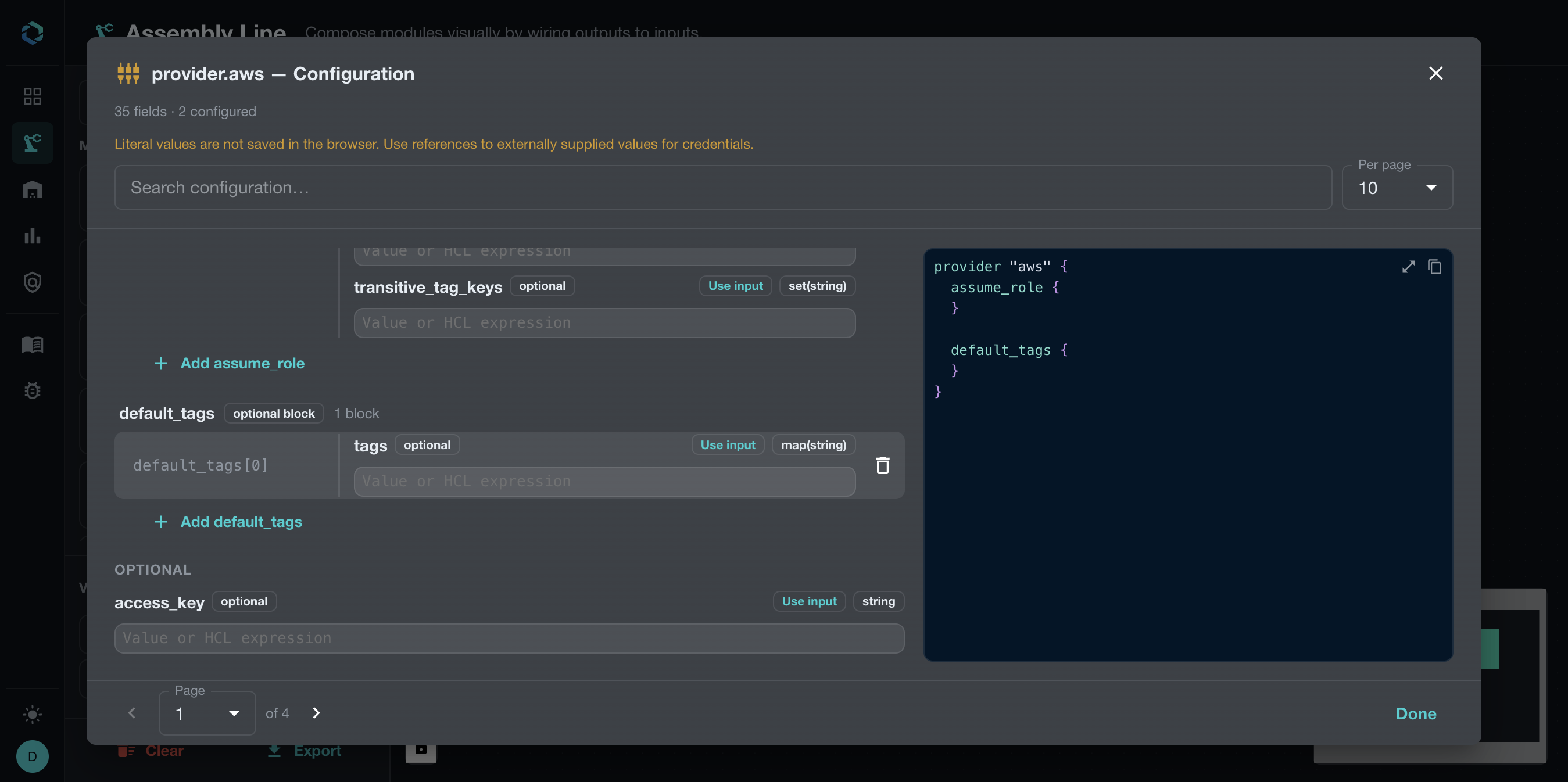
Provider configuration belongs on the root provider node. Modules then select the matching provider configuration through their Providers panel, keeping provider setup separate from module input wiring.
OpenTofu-only eligibility
OpenDepot's provider registry generally mirrors both registry.opentofu.org and registry.terraform.io origins (see Consuming Providers). Assembly Line is narrower: it only supports providers whose spec.providerConfig.upstreamRegistry resolves to registry.opentofu.org.
- The
/assemblyprovider palette in the UI filters out any Provider whose upstream registry is notregistry.opentofu.org, so Terraform-origin providers never appear as candidates. - Export resolution enforces the same rule authoritatively on the server: a canvas that references a non-OpenTofu Provider fails with a
provider_registry_unsupporteddiagnostic, regardless of what the browser submitted.
Provider schema extraction itself is unaffected by this restriction — the version controller extracts a configuration schema for every provider version using its configured upstreamRegistry, so both origins remain fully usable outside Assembly Line.
Generated provider source
Generated provider source addresses use the provider's canonical short identity, never the OpenDepot host:
For example, an onboarded Provider with providerNamespace: hashicorp and providerName: aws renders source = "hashicorp/aws" in required_providers. OpenDepot is only the installation location configured in the generated OpenTofu CLI config, never the provider's identity in HCL.
Generated module source addresses continue to use the OpenDepot module registry host:
Module versions are emitted as pessimistic constraints without a leading v. For example, selecting module version 1.1.1 produces:
Provider versions remain exact and are emitted without a leading v.
Export
Export sends the typed canvas to the OpenDepot server. OpenDepot validates the canvas, resolves the selected versions, runs OpenTofu initialization, and returns a ZIP containing the generated root module. Validation failures are shown in the export dialog, and no ZIP is returned.
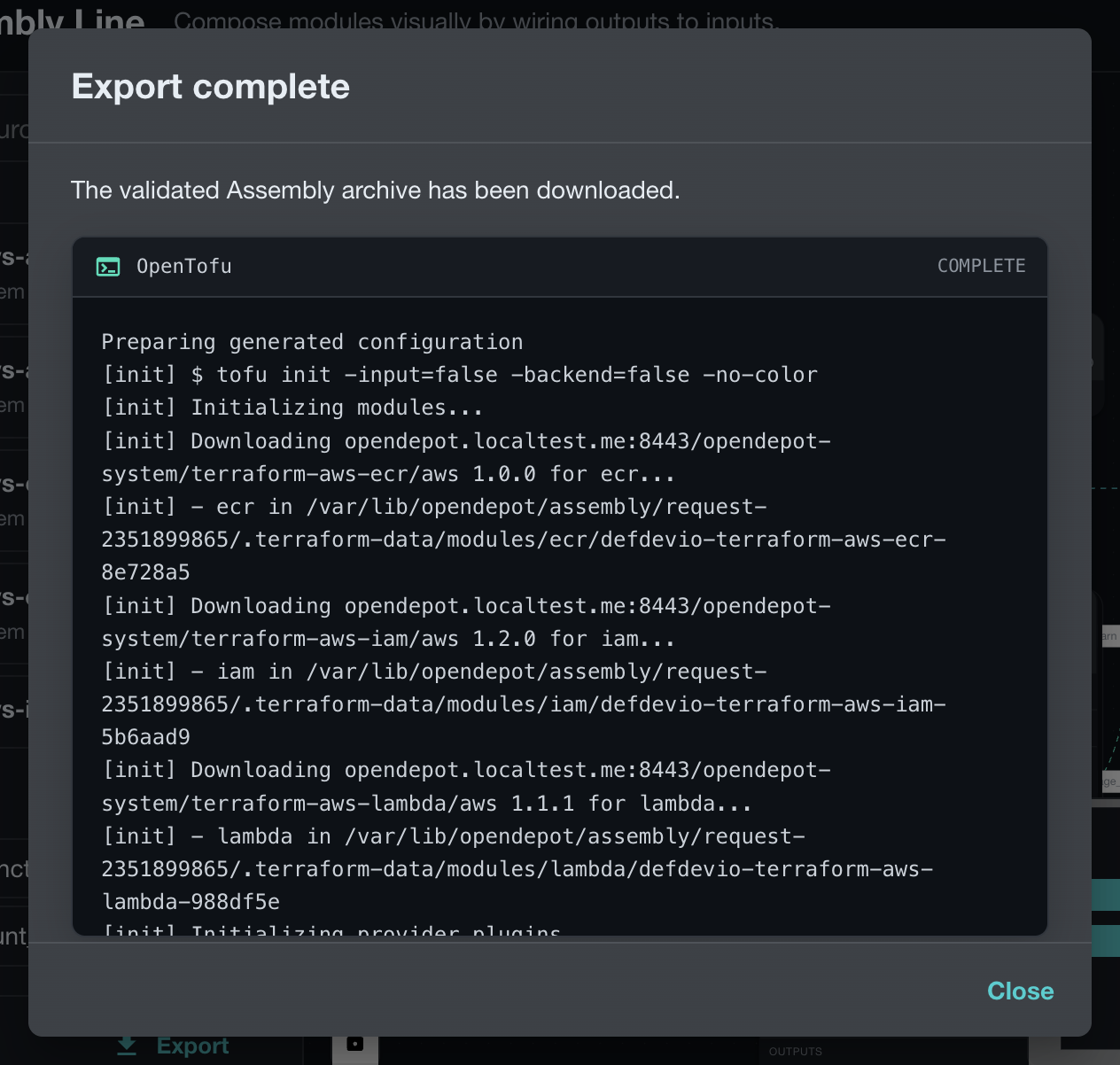
Downloaded files
A successful download is named assembly-line.zip and contains exactly:
The archive excludes .terraform, lock files, state, CLI configuration, command output, and all other temporary files.
Export Failures
Client validation blocks export while nodes are loading or have known name, input, provider, reference, or multiplicity errors. Server diagnostics identify a stable error code, node, and field path where available.
The server returns no ZIP when resource authorization, exact-version resolution, provider eligibility, rendering, or OpenTofu initialization fails.